How to Build a Call Quality Scorecard: 10 Criteria to Start With
A practical guide to your first call quality scorecard: 10 criteria to start with, how to phrase them and how to roll them out.
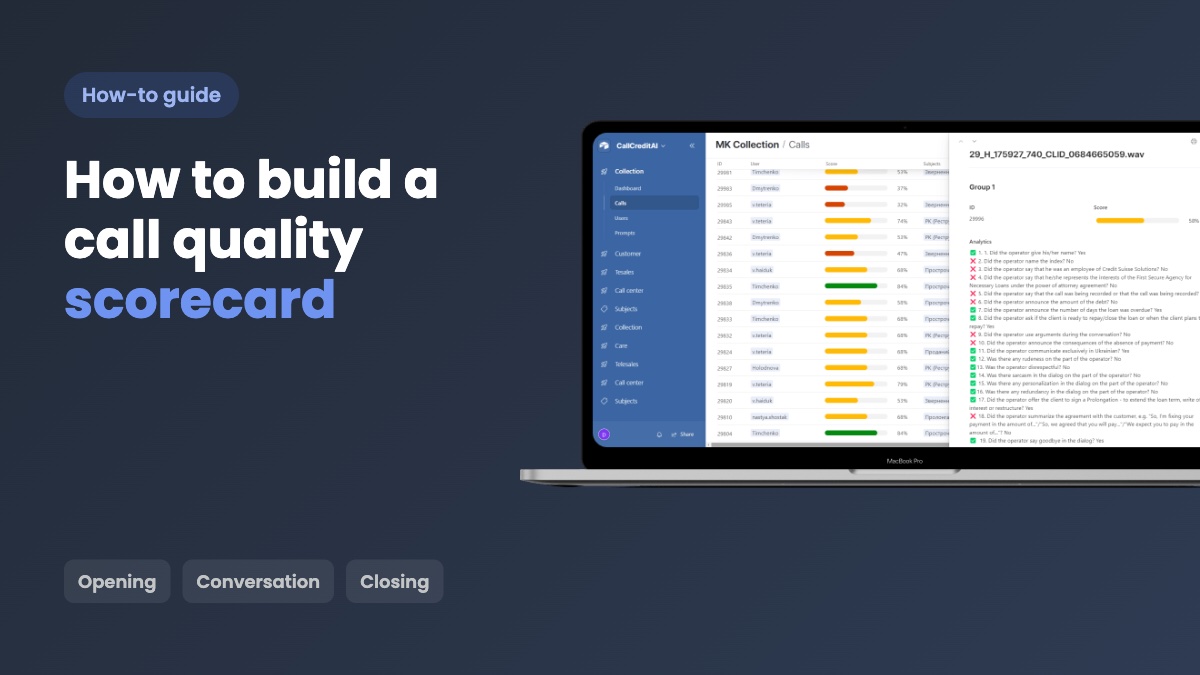
Most teams start call quality assurance the same way: a manager listens to a few calls a week and writes notes in a spreadsheet. It works until the team grows. Then the notes stop being comparable, agents get different feedback for the same behavior, and nobody can say whether quality is improving.
A call quality scorecard fixes this. It is a short list of criteria that every reviewed call is checked against, so every call gets the same questions and the same scale. This guide shows how to build your first one: which criteria to start with, how to phrase them, and how to roll the scorecard out without overwhelming your team.
What a good scorecard looks like
A scorecard is useful when two different reviewers would score the same call the same way. That depends less on the number of criteria and more on how they are written. Good criteria share four traits:
- Observable. You can hear it in the recording: “The agent stated their name” rather than “The agent was professional”.
- Yes / no. A binary answer removes most disagreements. Use a scale only where the nuance really matters.
- Tied to an outcome. Each criterion should protect something: compliance, customer experience, or the sale.
- Trained. Agents know the criterion exists and what “yes” sounds like.
Tip: keep the first version under 10 criteria. A short scorecard gets used; a 40-question form gets skipped.
10 criteria to start with
These criteria cover the basics of most sales, support and collection calls. Adapt the wording to your scripts, drop what does not apply, and add one or two criteria specific to your business.
Opening
- Did the agent greet the customer and give their name? Sets a professional tone and makes the conversation personal.
- Did the agent name the company and the reason for the call? Required in many regulated industries, and it reduces early hang-ups.
- Did the agent mention that the call is recorded (if required)? A compliance item: it is either said or not.
Conversation
- Did the agent ask at least one open question about the customer’s situation? The difference between reading a script and understanding the need.
- Did the agent confirm the key facts back to the customer? Amounts, dates, order numbers. Prevents costly misunderstandings.
- Did the agent stay polite, without interrupting or arguing? Keep it binary: one rude remark means “no”.
- Did the agent handle the main objection with an argument, not a repeat? Repeating the offer louder is not handling an objection.
Closing
- Did the agent summarize what was agreed? One sentence that both sides can confirm.
- Did the agent agree on a clear next step or date? A payment date, a follow-up call, a delivery slot.
- Did the agent close the call politely? Thank the customer and say goodbye before hanging up.
Warning: don’t score agents on criteria they were never trained on. Introduce the scorecard to the team first, then start scoring.
How to weight and score the criteria
The simplest score is the share of criteria the agent met: 8 out of 10 is 80%. Once that works, you can add two refinements:
- Weights. Give more points to the criteria that matter most for your business, for example confirming payment terms in collections.
- Critical criteria. Mark compliance items as critical: if one is missed, the call fails regardless of the total score.
Whatever you choose, write it down and keep it stable for at least a month. Scores are only useful when you can compare this week with last week.
Manual review vs automated scoring
With a manual process, the scorecard is limited by how many calls a person can listen to. Automated scoring applies the same criteria to every call: the recording is transcribed, each criterion is checked against the transcript, and the reviewer only opens the calls that need attention.
| What you get | Manual review | CallChecker |
|---|---|---|
| Calls reviewed | A small sample | Every call |
| Same criteria applied the same way | ✕ | ✓ |
| Searchable transcripts | ✕ | ✓ |
| Time to first results | Days | Minutes after the call |
| Reviewer’s time spent on | Listening | Coaching |
You can try the first step yourself: upload a recording to Audio to Text and read the transcript against your new scorecard. You will quickly see which criteria are easy to check and which need clearer wording.
Rolling out your first scorecard
- Draft 8–10 criteria with the team leads, using the list above as a starting point.
- Calibrate: two people score the same 10 calls separately. Rewrite every criterion they disagreed on.
- Share the final version with agents, with an example of “yes” and “no” for each criterion.
- Score for two weeks before using the results in reviews, so everyone gets used to it.
- Review monthly: remove criteria everyone always passes and add the next most important behavior.
Frequently asked questions
How many criteria should a call scorecard have?
Start with 8–10. That is enough to cover the opening, the conversation and the closing, and short enough that reviewers fill it in consistently. Add criteria later, one at a time.
Should criteria be yes/no or scored on a scale?
Use yes/no for most criteria: it is faster and reviewers agree more often. Keep a scale only for the few behaviors where the degree really matters, such as objection handling.
How often should the scorecard be updated?
Review it once a month, but change it rarely. Every change makes scores harder to compare with earlier weeks, so batch changes together and note the date.
Can the same scorecard be used for sales and support calls?
The opening and closing criteria usually work for both. The middle part differs: sales calls focus on needs and objections, support calls on diagnosing and resolving the issue. Keep one shared core and a short section per team.

I build AI products that turn every customer conversation into data you can act on.